
Collaborative Projects: The Power of Teamwork in UI/UX Design


Ever wondered why some apps and websites just click while others leave you scratching your head? Spoiler alert: it’s not just about having a flashy interface or trendy colors. It’s often the magic of teamwork that makes or breaks the user experience. Let’s dive into the secret sauce behind stellar UI/UX designs—collaborative projects!
On this page
Why Teamwork Matters in UI/UX Design
Diverse Perspectives
Collaboration brings together varied viewpoints and skill sets. For instance, a designer may excel in visual appeal, while a developer ensures that those designs function seamlessly. This blend of expertise is akin to crafting a dish where each ingredient adds its unique flavor, resulting in a richer final product.
Faster Problem-Solving
Creative blocks are common in design. Teamwork can help overcome these hurdles, as fresh perspectives often reveal solutions that may not be apparent to a single individual. Brainstorming sessions can ignite innovative ideas, allowing teams to pivot quickly when challenges arise.
User-Centric Focus
A successful user experience requires empathy. Collaborative teams can gather feedback from multiple stakeholders, ensuring that the final product is not only visually appealing but also user-friendly and accessible. This holistic approach allows for a deeper understanding of user needs and preferences.
Best Practices for Collaborative Projects
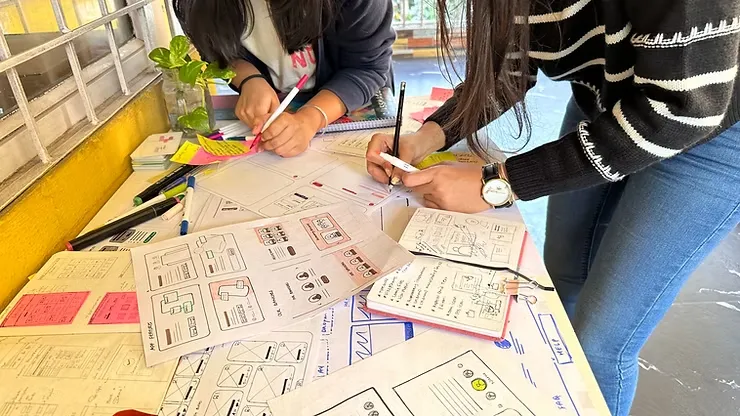
Collaborative Projects 1
Communication is Key
Regular communication is essential. Tools like Slack and Microsoft Teams facilitate ongoing dialogue, while face-to-face meetings or video calls can enhance understanding and connection among team members.
Define Roles Clearly
Each team member should have a clear understanding of their responsibilities. This clarity prevents overlap and ensures comprehensive coverage of all project aspects. Project management tools like Asana or Trello can help track tasks and deadlines effectively.
Foster a Collaborative Culture
Creating an environment where everyone feels comfortable sharing ideas and feedback is crucial. Celebrating successes and learning from mistakes together fosters a positive culture that leads to innovative solutions and a cohesive final product.
At Studio Incubator Design Institute, teamwork is integral to the curriculum, with a strong emphasis on collaborative projects that simulate real-world design environments. Through project-based learning, workshops on communication and collaborative tools, and guidance from experienced mentors, students develop essential teamwork skills. This focus on collaboration equips them to excel in diverse team settings and enhances their ability to create impactful user experiences.
Ultimately, embracing teamwork in UI/UX design is essential. It enriches the design process and leads to products that resonate with users.
Jitendra Bhavsar (JB)
Co-faculty, AI build
JB leads technical delivery and AI automation at Qquench and teaches the build side of the programme.